AI Inbox & Meetings
Making background AI work visible inside a product originally built around sales workflows.
Jeeva AI · AI workspace · Product Design

Work happening elsewhere
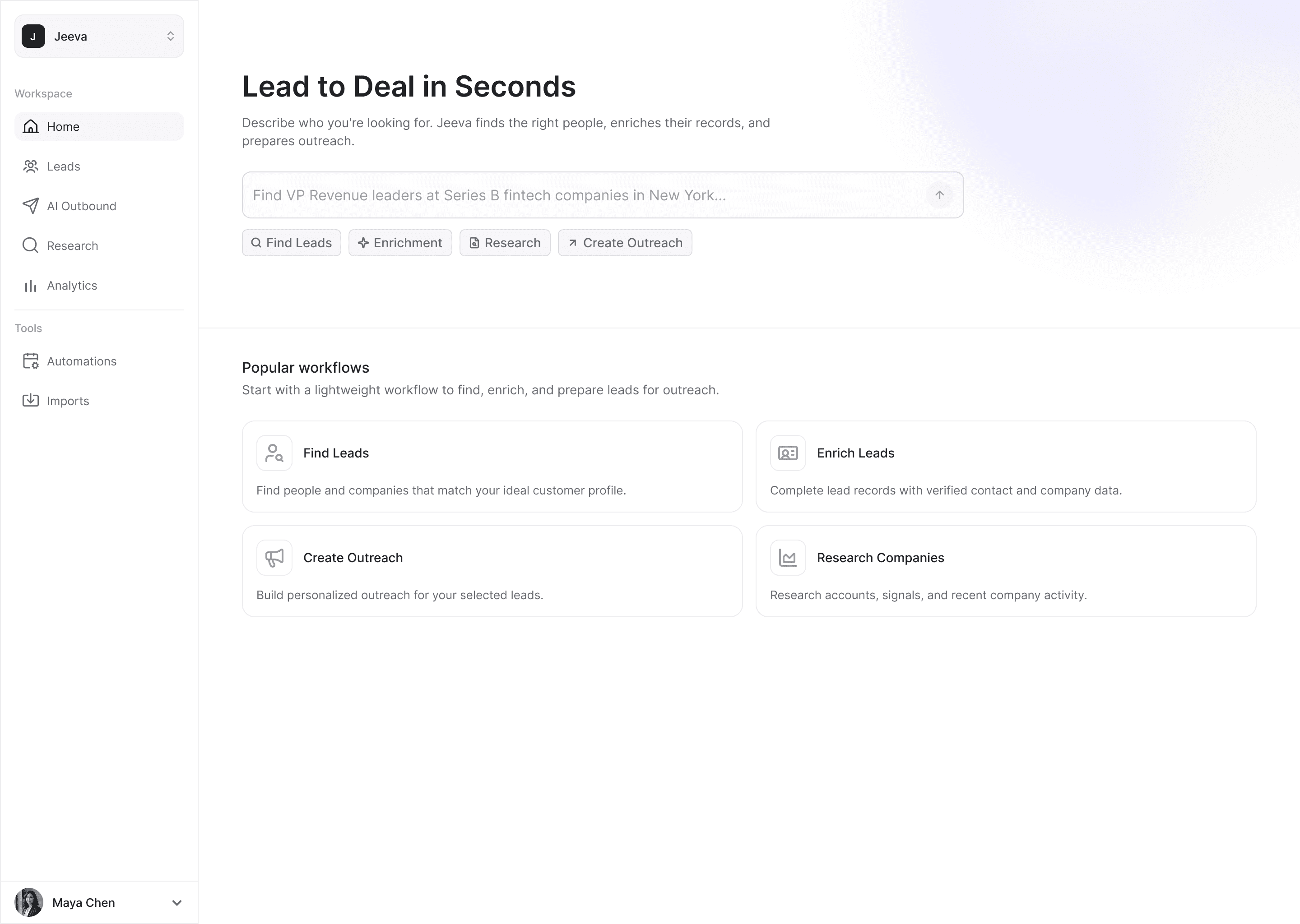
Jeeva started as a sales workflow product: find leads, enrich their data and send personalized outreach. Home reflected that, with a lead search prompt and the most common workflows.
Over time, Jeeva also gained capabilities that worked in the background: organizing incoming email, drafting replies, scheduling meetings, preparing for them and capturing notes afterwards. Most of that happened in Gmail and the calendar rather than in Jeeva itself.
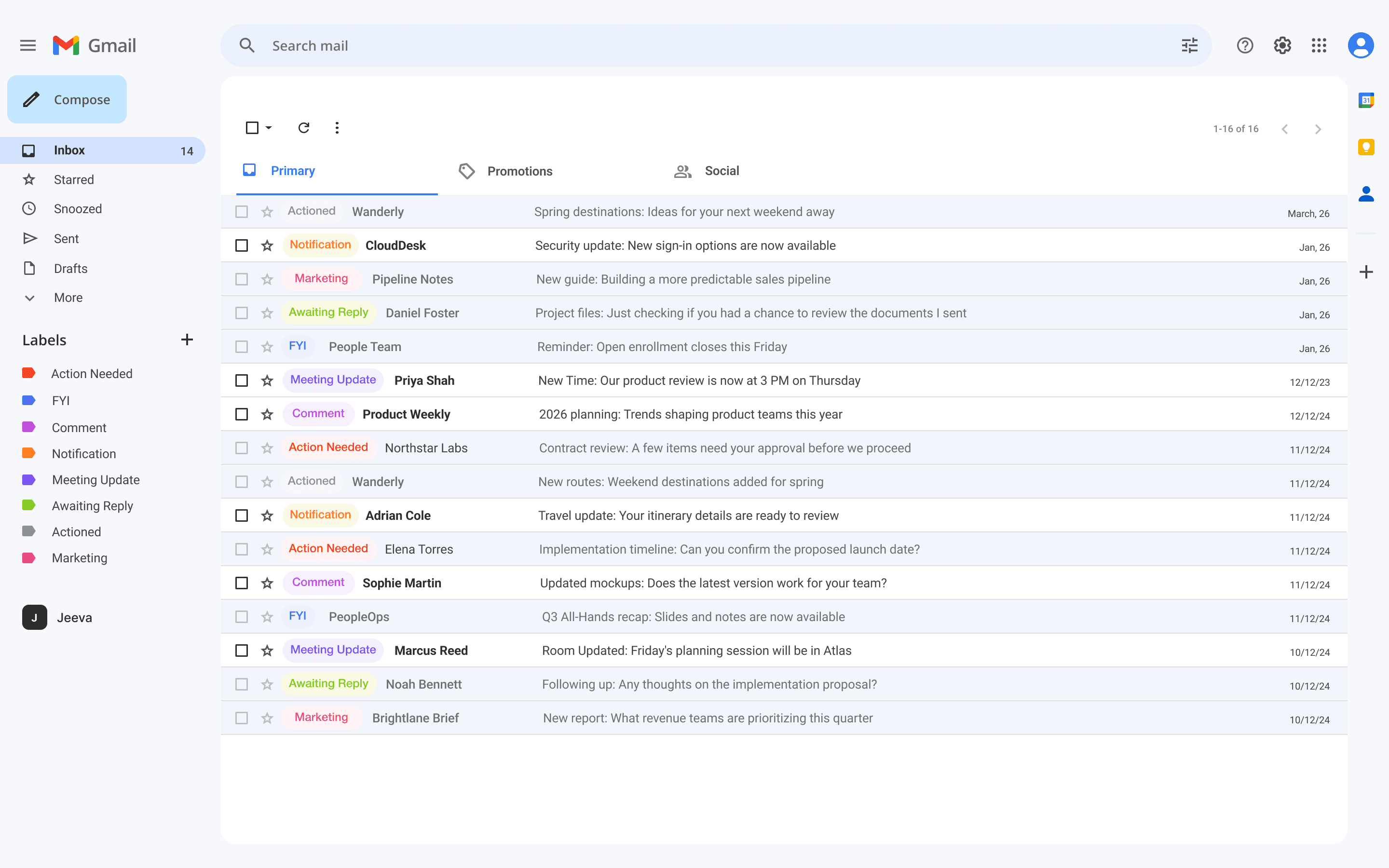
The requirement was to make these capabilities more visible in the product. The design problem was how to show work the user never started, without adding yet another set of entry points to Home.
Showing the work on Home
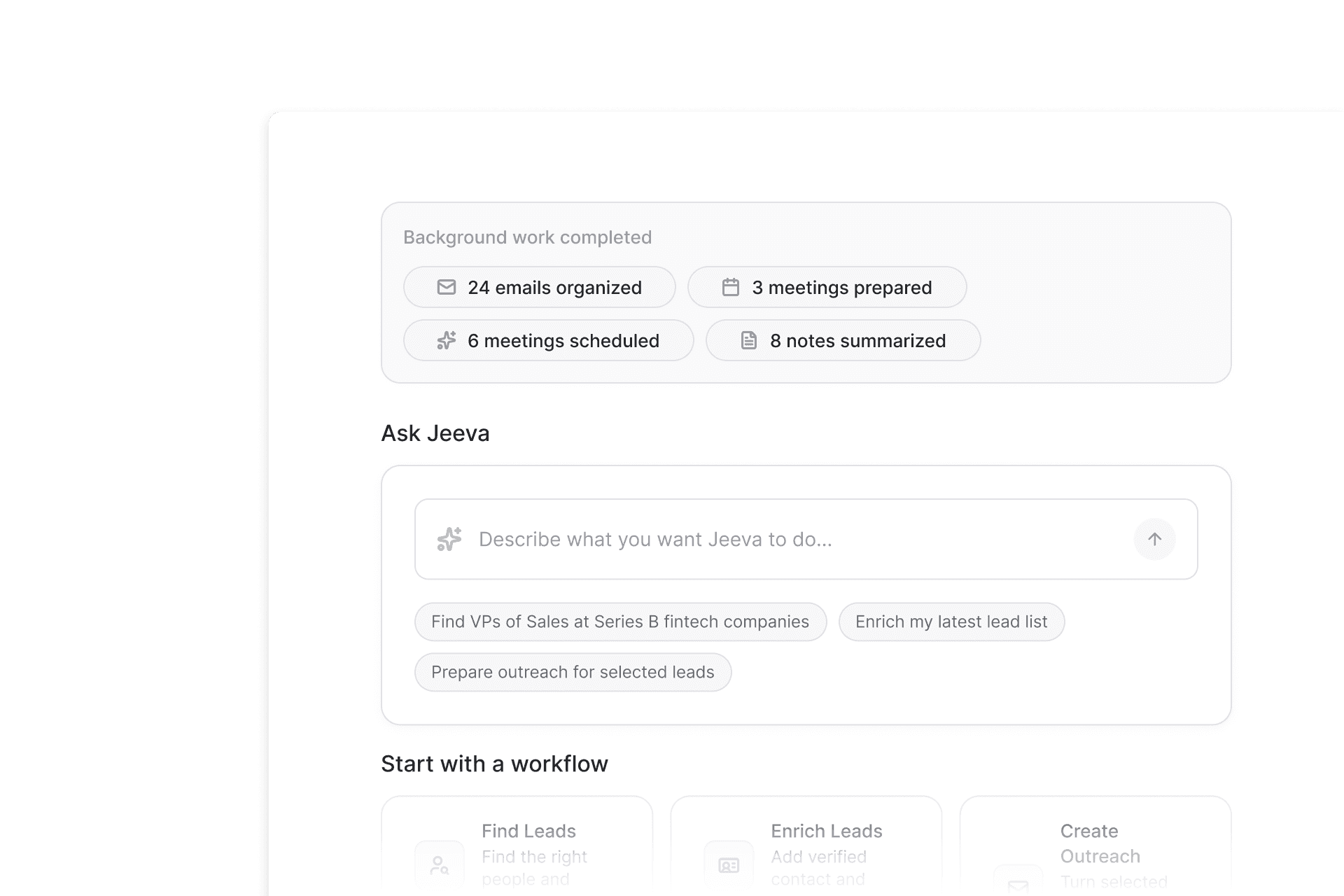
I proposed and designed a widget on Home that showed what Jeeva had already done in the background, such as emails organized and meetings prepared. It shipped on the Home of that time.
The work behind the numbers
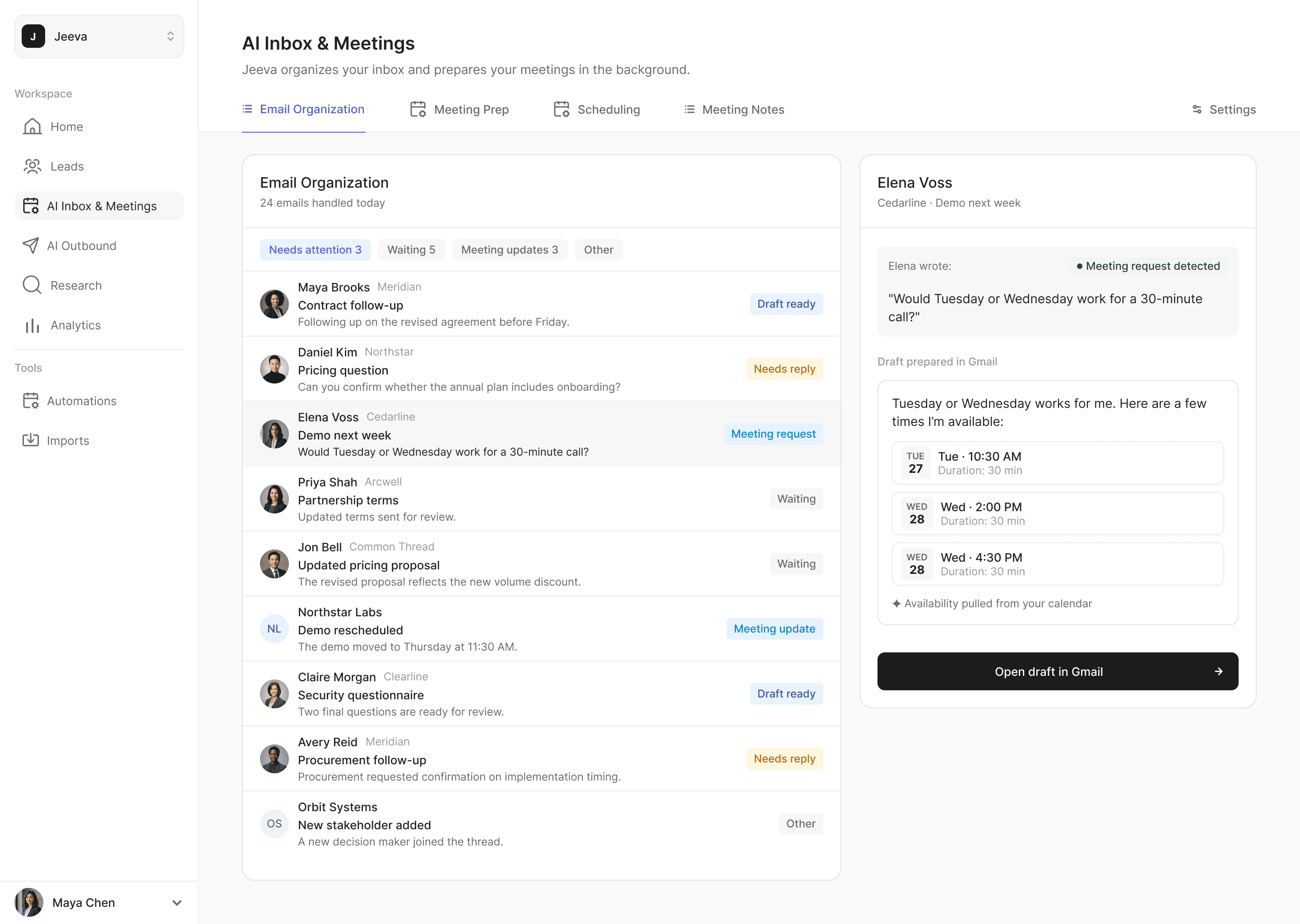
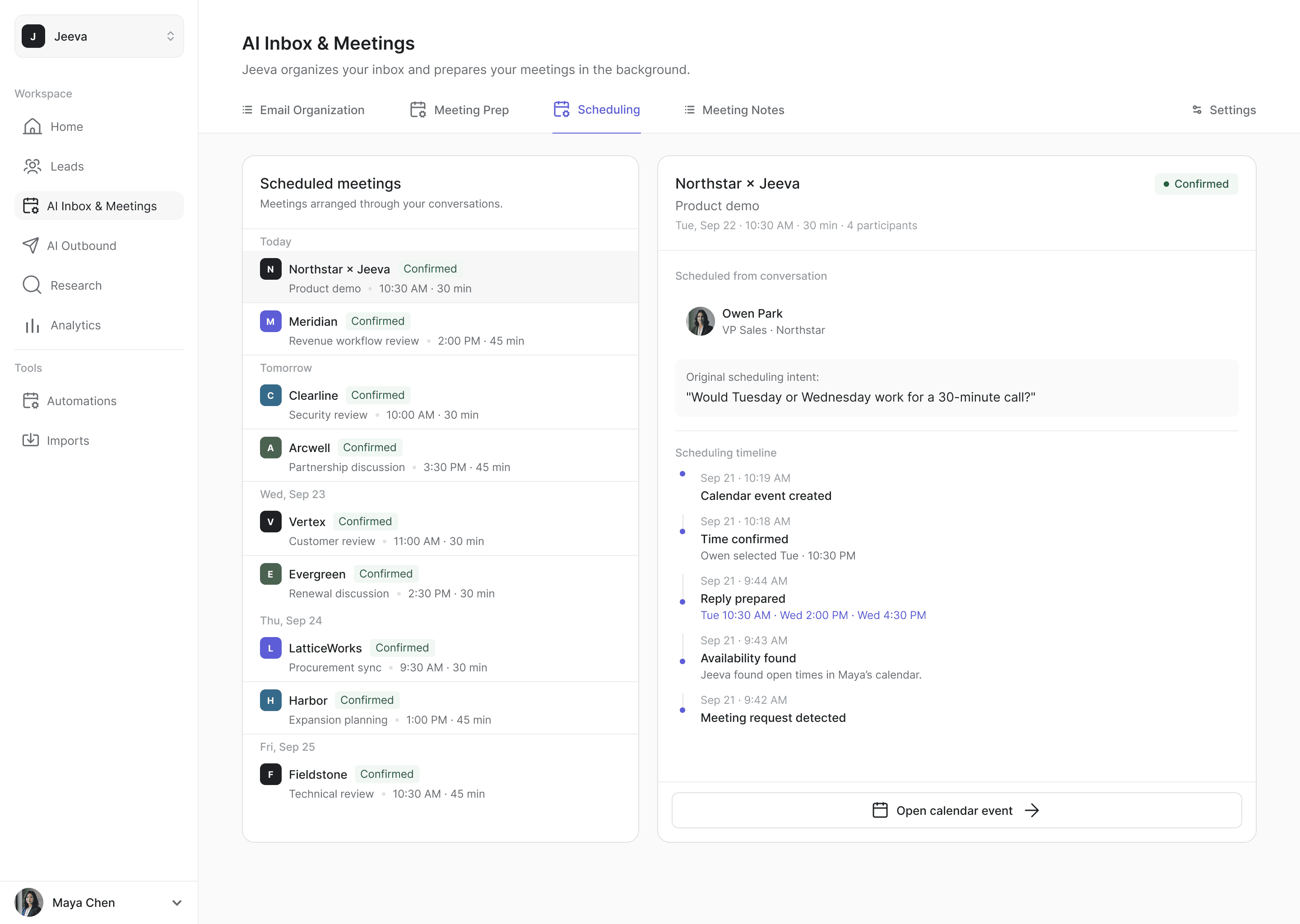
A count could show that work had happened, but not what it was. I designed a dedicated AI Inbox & Meetings area for the work behind it: one tab each for email, meeting preparation, scheduling and notes, with each capability’s results in a list and the details beside them.
It presented results rather than settings, so users could see what Jeeva had done and why, then continue in the right place. The area shipped as part of the product.
A Home built around both
Later, the product direction changed Home again: agentic search was to become more central and the product’s other AI capabilities more visible, while the earlier, workflow-heavy Home gave way to a more focused one as the main workflows moved into their own areas of the product.
I designed the new Home around that, and it shipped. Natural-language entry sits at its center, with the completed background work above it. I kept three compact shortcuts to finding leads, enrichment and outreach as a direct path for anyone who already knew where they were going, and proposed Recent Activity and the Calendar so the background work appears in the context of the user’s day.
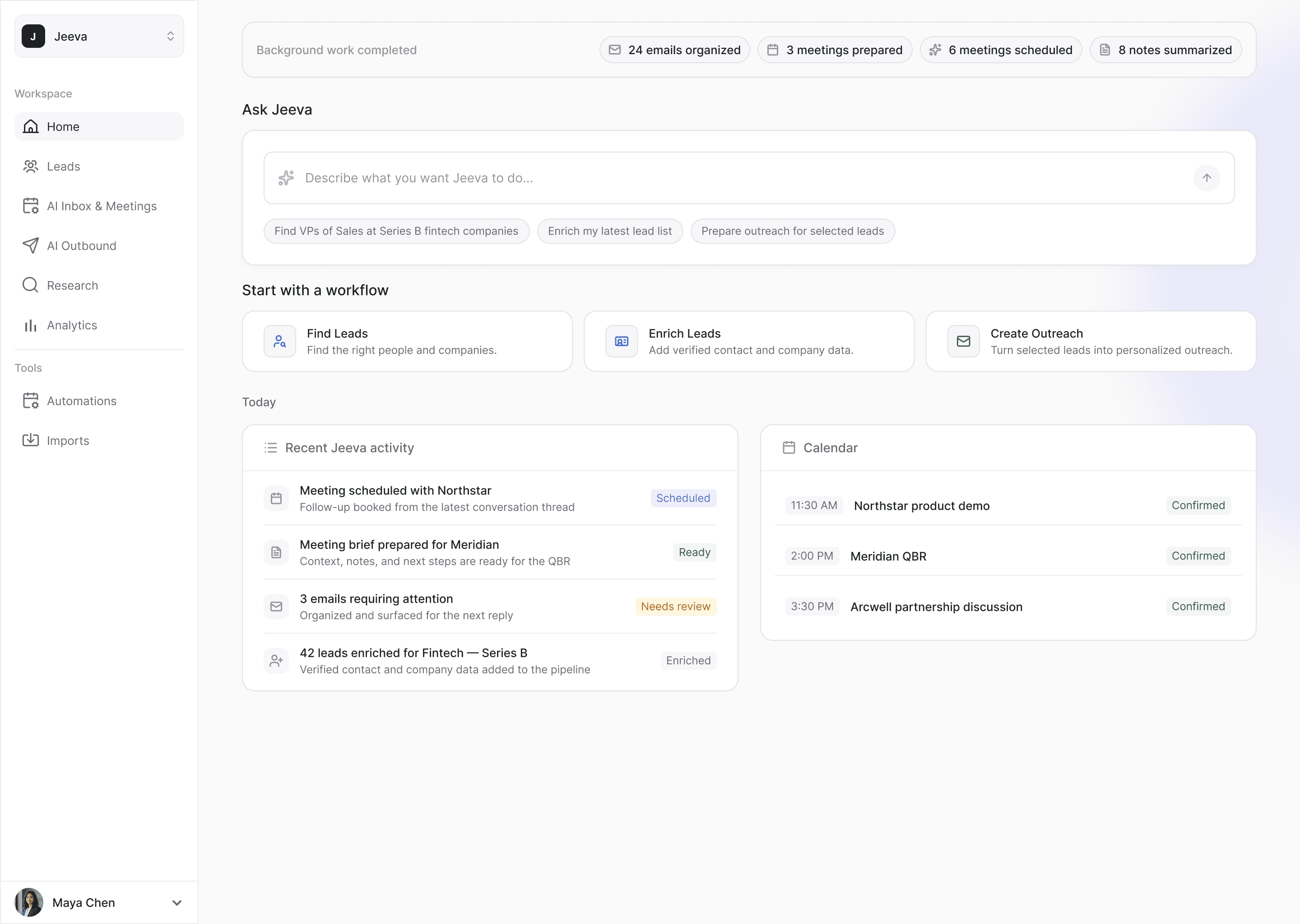
Home changed from a place to start work into one that also showed what Jeeva had already done.