Lead Search
Helping sales teams get from an idea of their customer to a useful lead search.
Jeeva AI · Lead discovery · Product Design

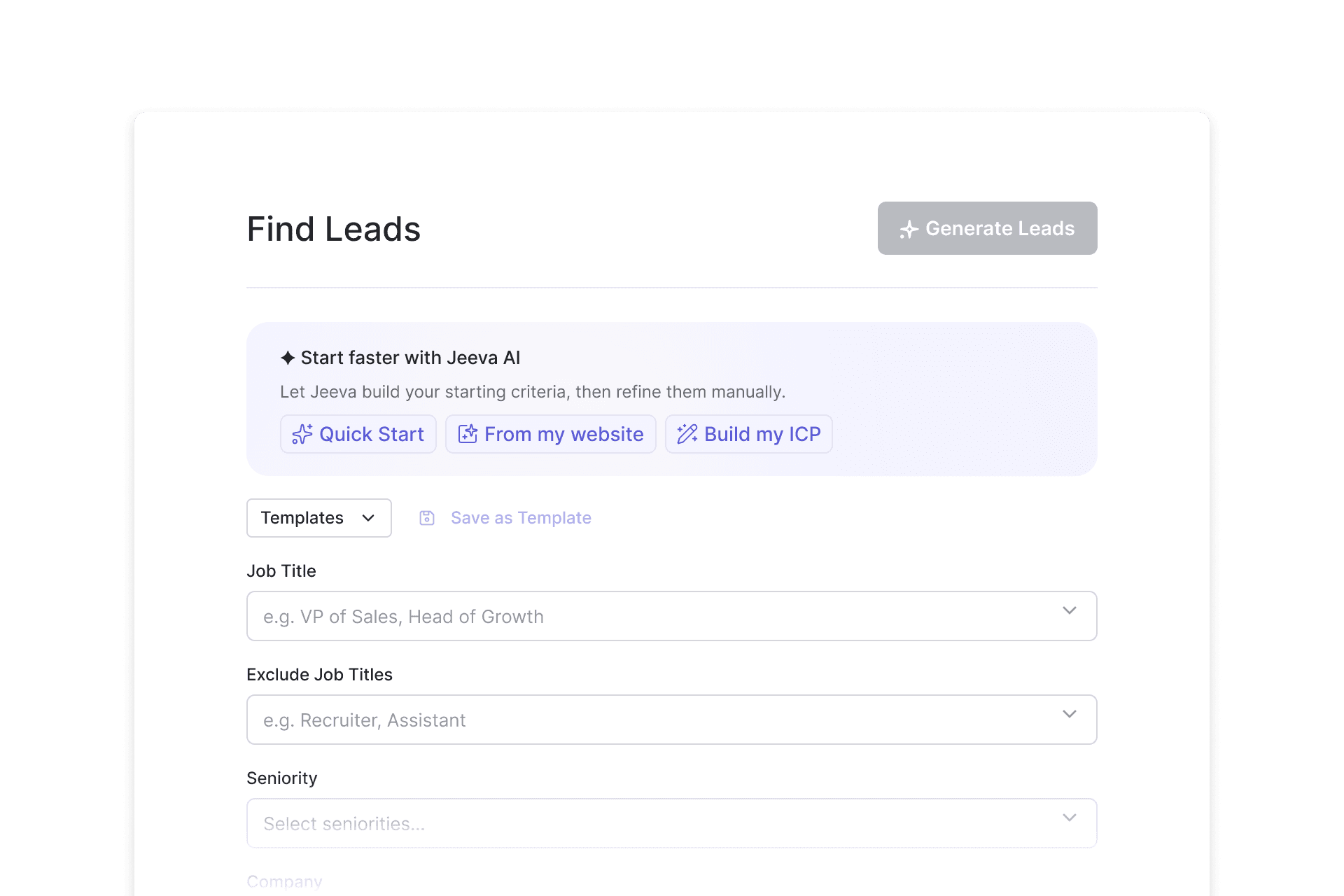
Describing a customer in filters
Lead search was one of Jeeva’s core workflows. Users described the people and companies they wanted to reach through structured criteria such as role, seniority, industry, location and company size.
There was no single useful definition of a lead. A founder looking for other founders and a sales team targeting finance leaders needed very different combinations of criteria, so the filters became increasingly flexible as the product grew.
A live preview already showed how each choice changed the audience, and templates let users reuse searches that worked. Both helped most once someone knew how to express a customer in those criteria. Starting from empty filters meant doing that translation themselves.
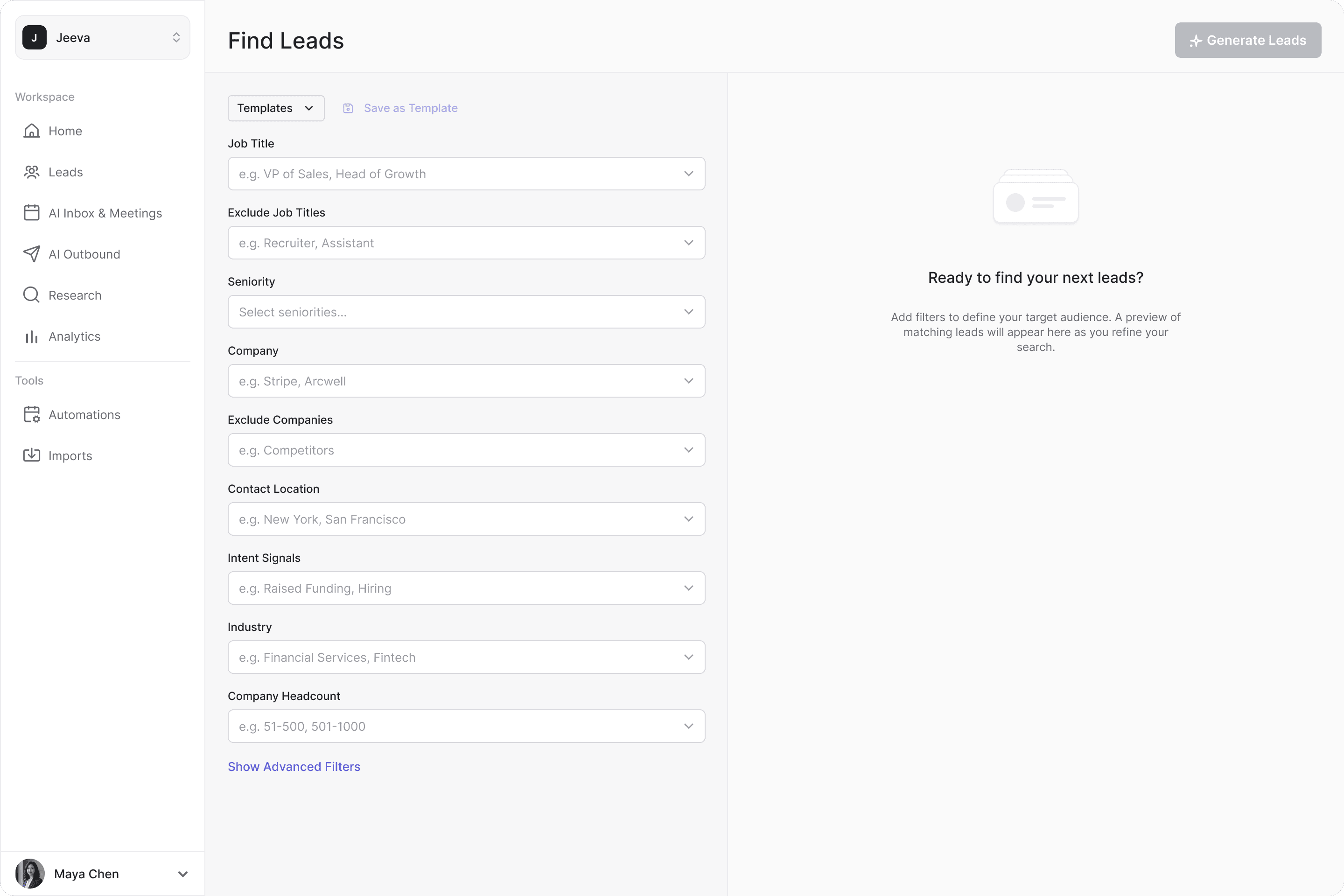
Three ways into the same filters
I proposed and designed Jumpstart: starting points above the empty filters for someone building their first search. It grew into three paths, each added to answer what the previous one couldn’t know, and each ending in the same structured, editable search.
Quick Start
The first version used a predefined set of popular search criteria. One click turned the empty page into a configured search with matching leads, and every criterion stayed open to editing.
From my website
Predefined criteria couldn’t know anything about a particular business. The next path analyzed the user’s company website and translated it into search criteria. Instead of presenting a separate answer, Jeeva wrote them into the existing filters, where they could be checked and changed like any other criteria.
Build my ICP
A website describes the seller, but not necessarily who they want to reach in a particular search. Build my ICP asked a few direct questions about the buyer and translated the answers into the same filters.
All three paths shipped, and all three ended in the same place: the regular filters with the live preview. Jumpstart wasn’t a replacement for the filters, but a way into them. Once the first lead list was created, it gave way to the regular search and templates.
When a search narrows too far
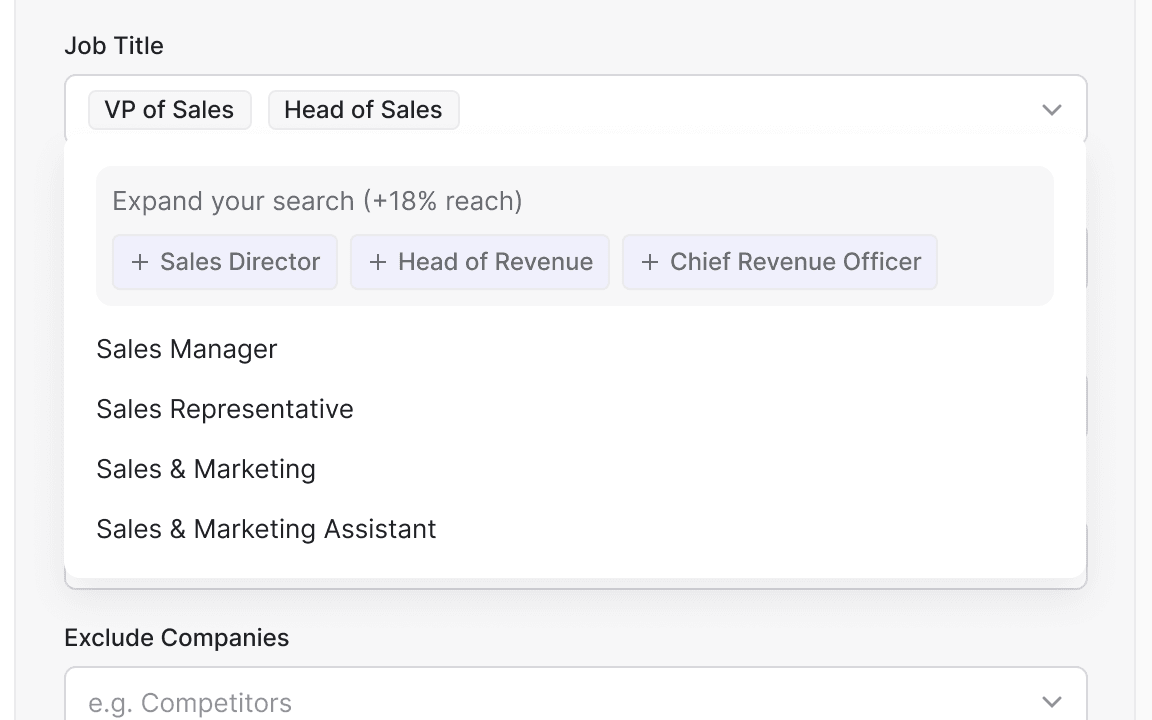
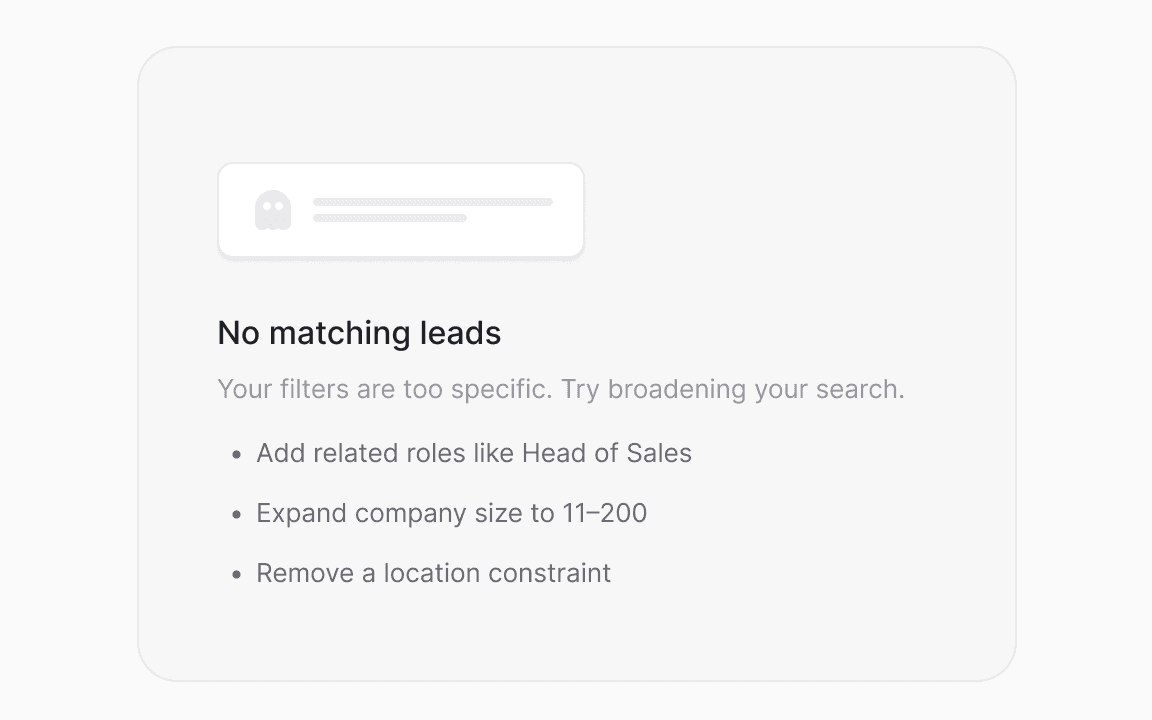
Precise criteria can narrow a search until almost nobody matches. I designed two responses, and both shipped. Suggestions to expand the search offered adjacent criteria for the same target and showed how much reach they would add. When nothing matched, the empty state named the constraints worth relaxing.
The search stayed under the user’s control; the interface helped when it reached a dead end.
Natural-language search came later. Even then, some users preferred to build their searches directly in the filters.
The filter system stayed powerful. Jumpstart gave people different ways into it.