AI Outreach
Designing how AI learns product context and helps users shape personalized outreach.
Jeeva AI · AI sales assistant · Product Design

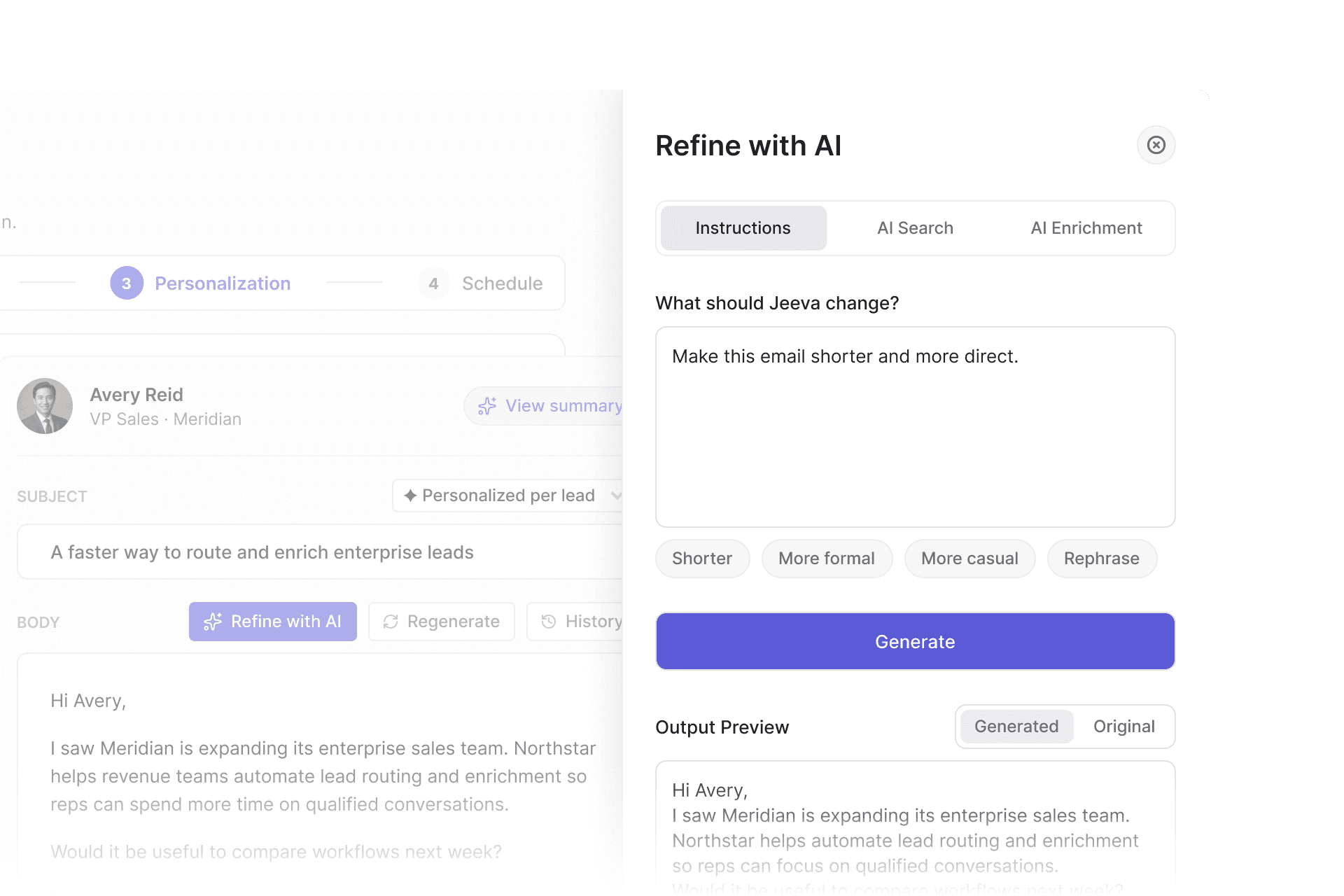
The context behind every message
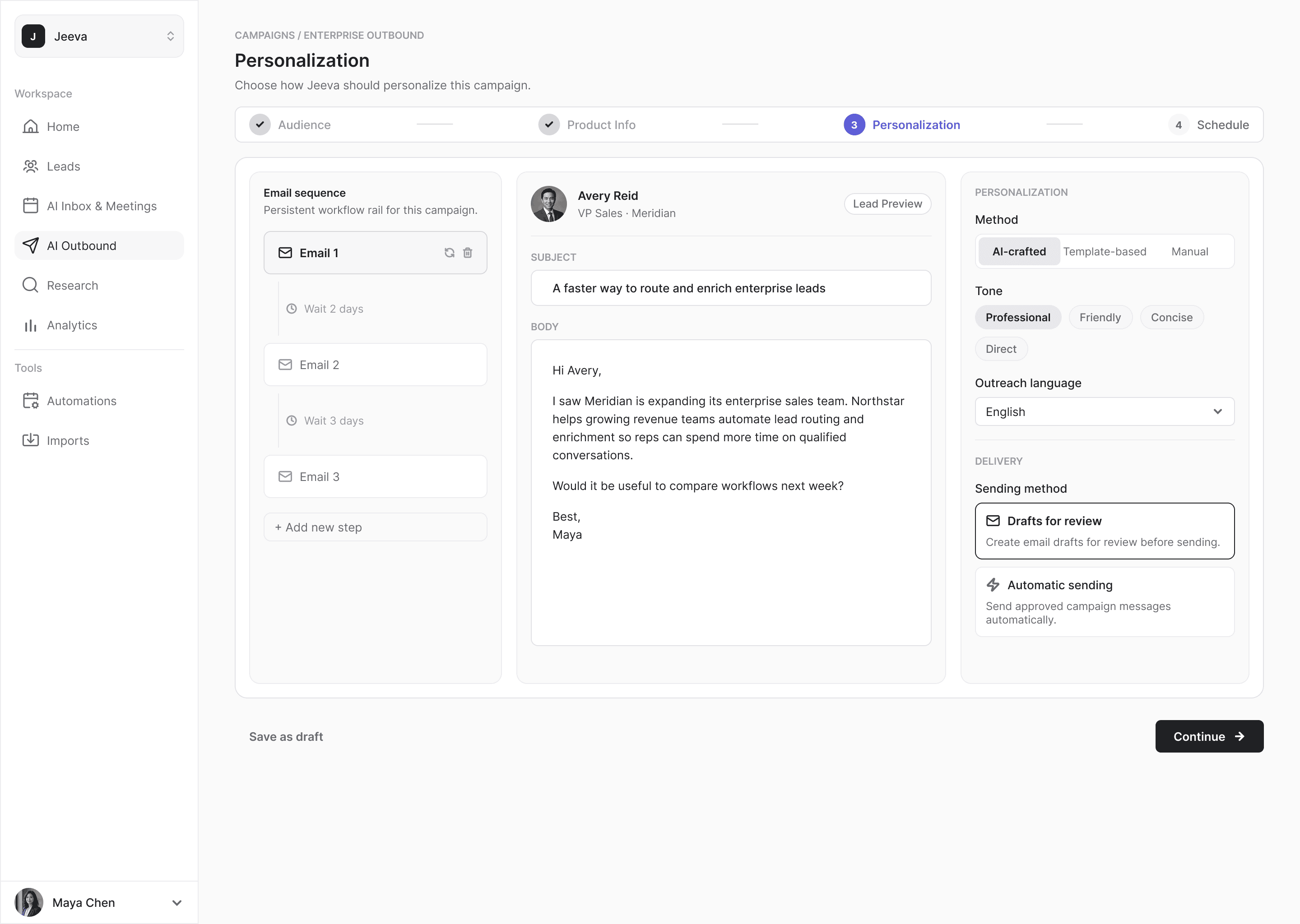
Outreach campaigns in Jeeva could be personalized in three ways: from a template with dynamic fields, by hand, or with AI-crafted personalization, where Jeeva wrote a unique message for each lead in the campaign.
To write those messages, Jeeva needed context about the business behind the campaign: what it sold, who it was for, the problems it solved and the proof points behind it. Users described all of this in Product Info.
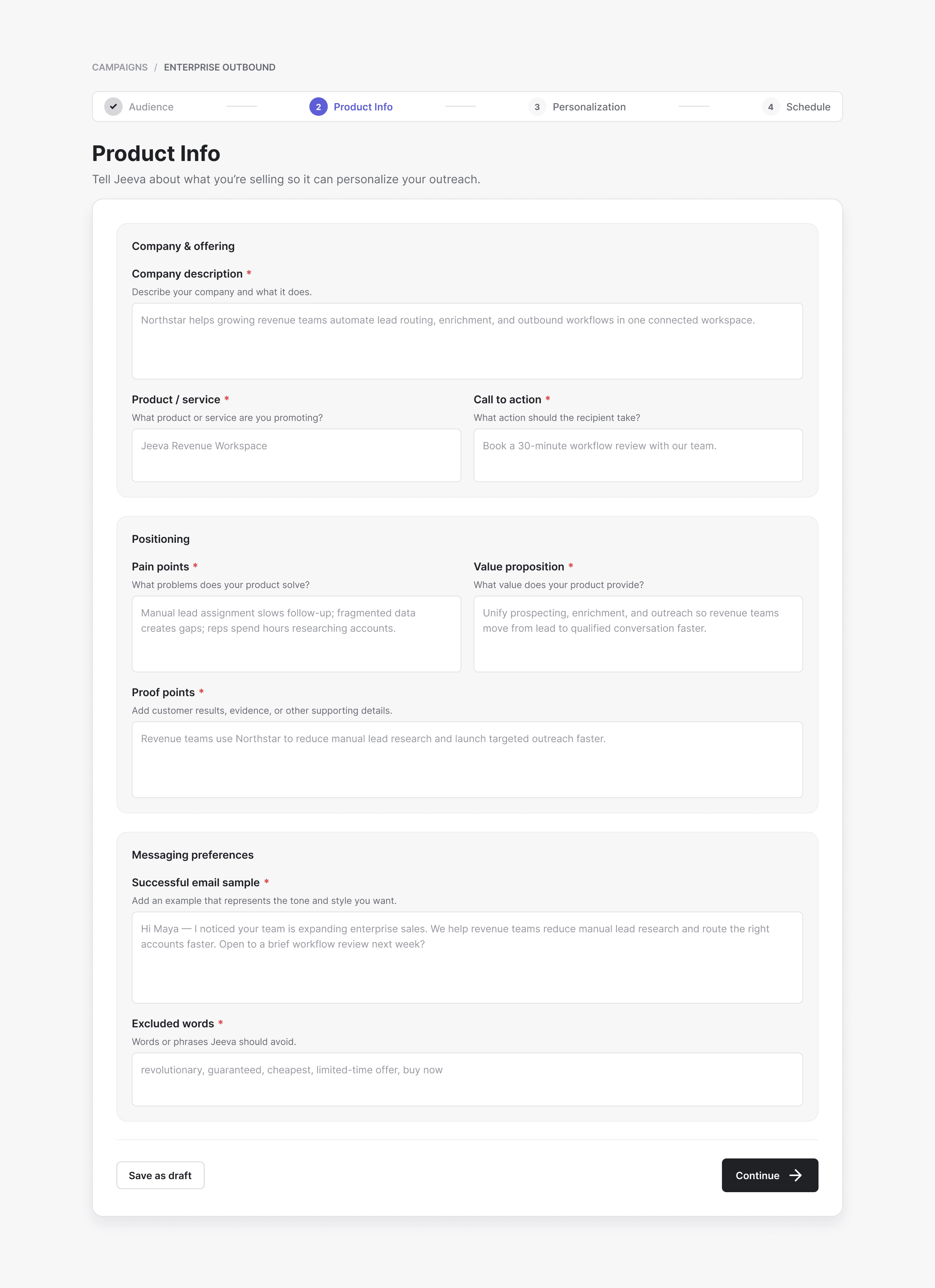
Product context from a website
The product introduced a second way to create that context: from the company’s website. I designed the experience, and it shipped.
Jeeva analyzed the site and filled the same structured Product Info fields wherever it could. The result stayed editable, so users could review and correct it before it shaped any messages, and manual entry remained available.
Steering every message at once
With AI-crafted personalization, each step of a sequence produced a different email for every lead, while the editor showed one of them as a representative sample.
When the direction wasn’t right, the main control was regeneration, which meant starting over. The product needed finer control, without asking anyone to edit each lead’s message individually.
Three ways to guide the AI
Refine with AI shipped with three ways to guide generation, each built on a separate underlying mechanism, and only one could be applied at a time. I designed how they worked together: one tab for each, a single question per tab, and the same generate, compare and apply loop at the end of all three.
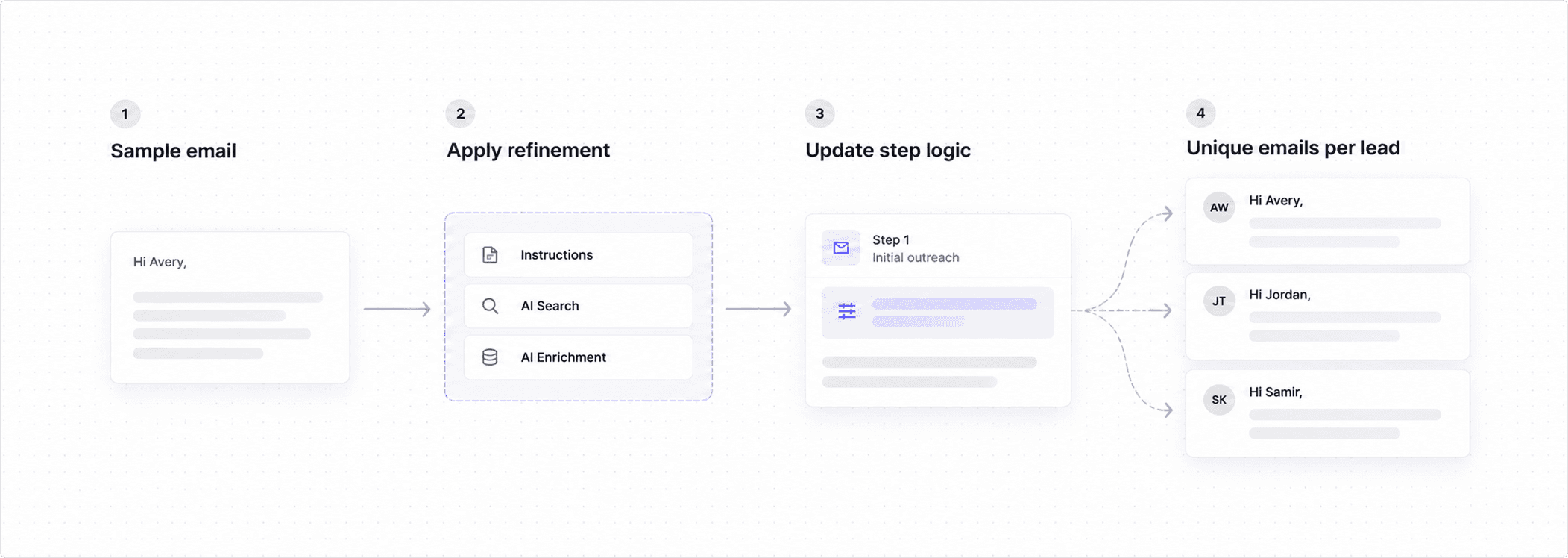
The preview showed one representative email. Applying a refinement changed how that step generated messages for every lead.
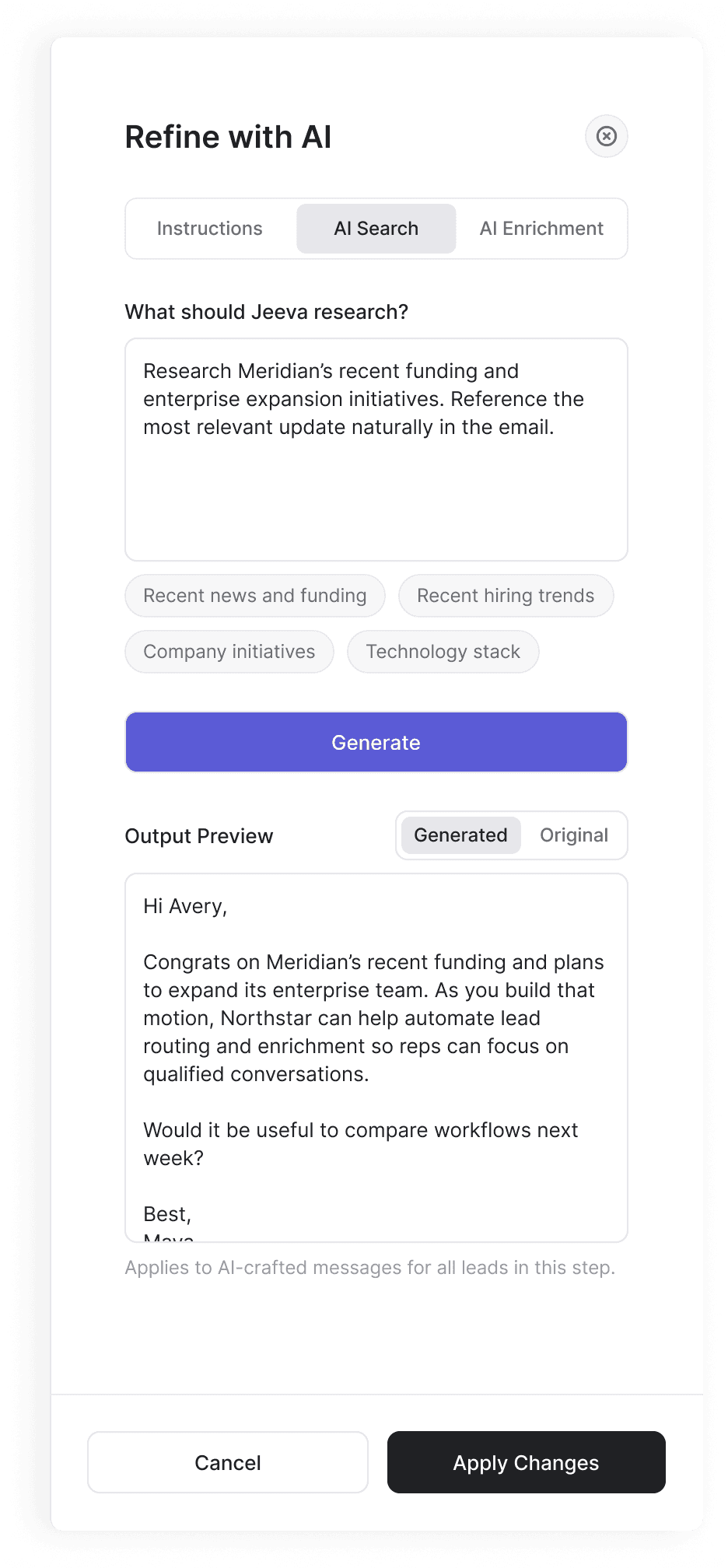
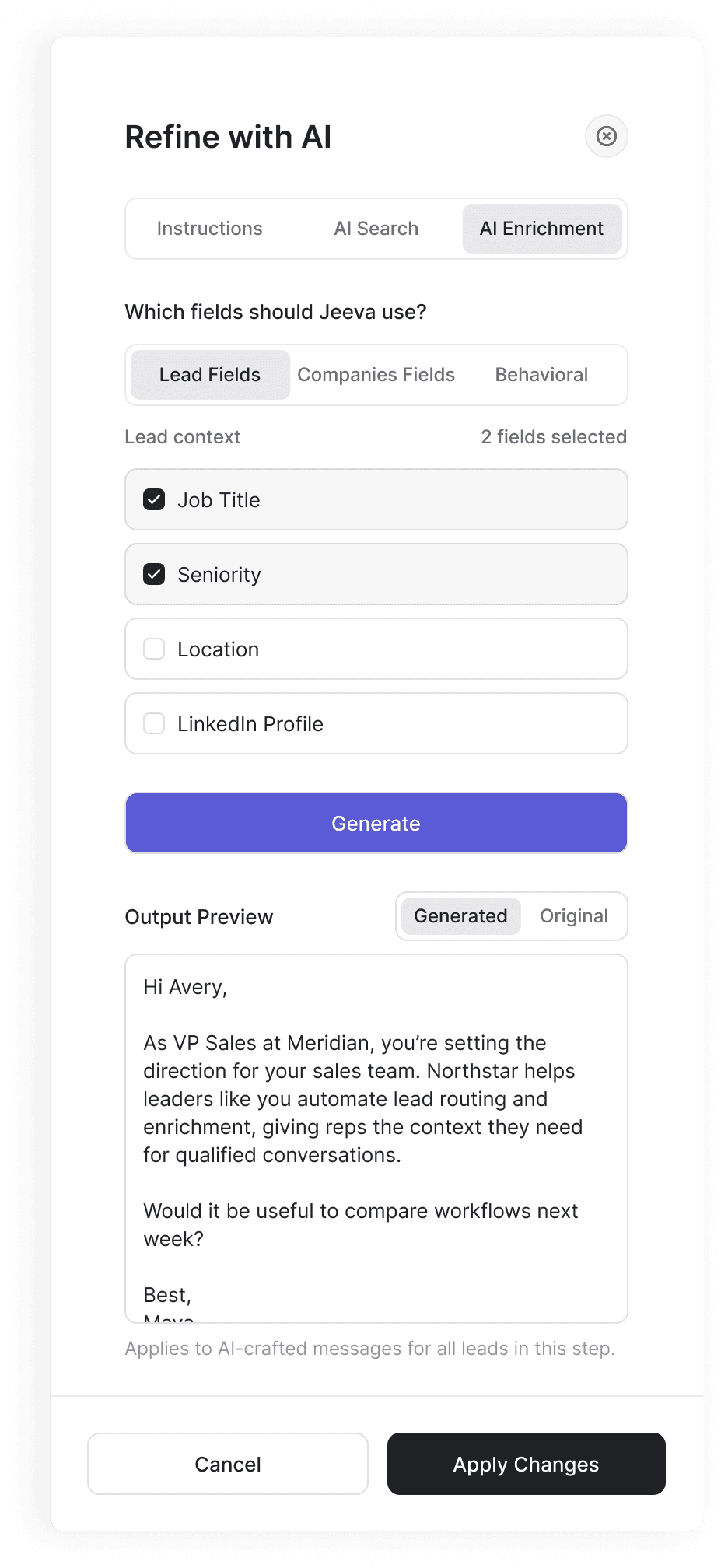
Users could change how Jeeva wrote for an entire step by reviewing one example, not editing every message.